
One connected operating system
The whole job.
One clear
record.
Contractor360 keeps the customer, agreed scope, crew, schedule, invoice, and payment state connected—from the first request to final closeout.
14 days · No credit card required
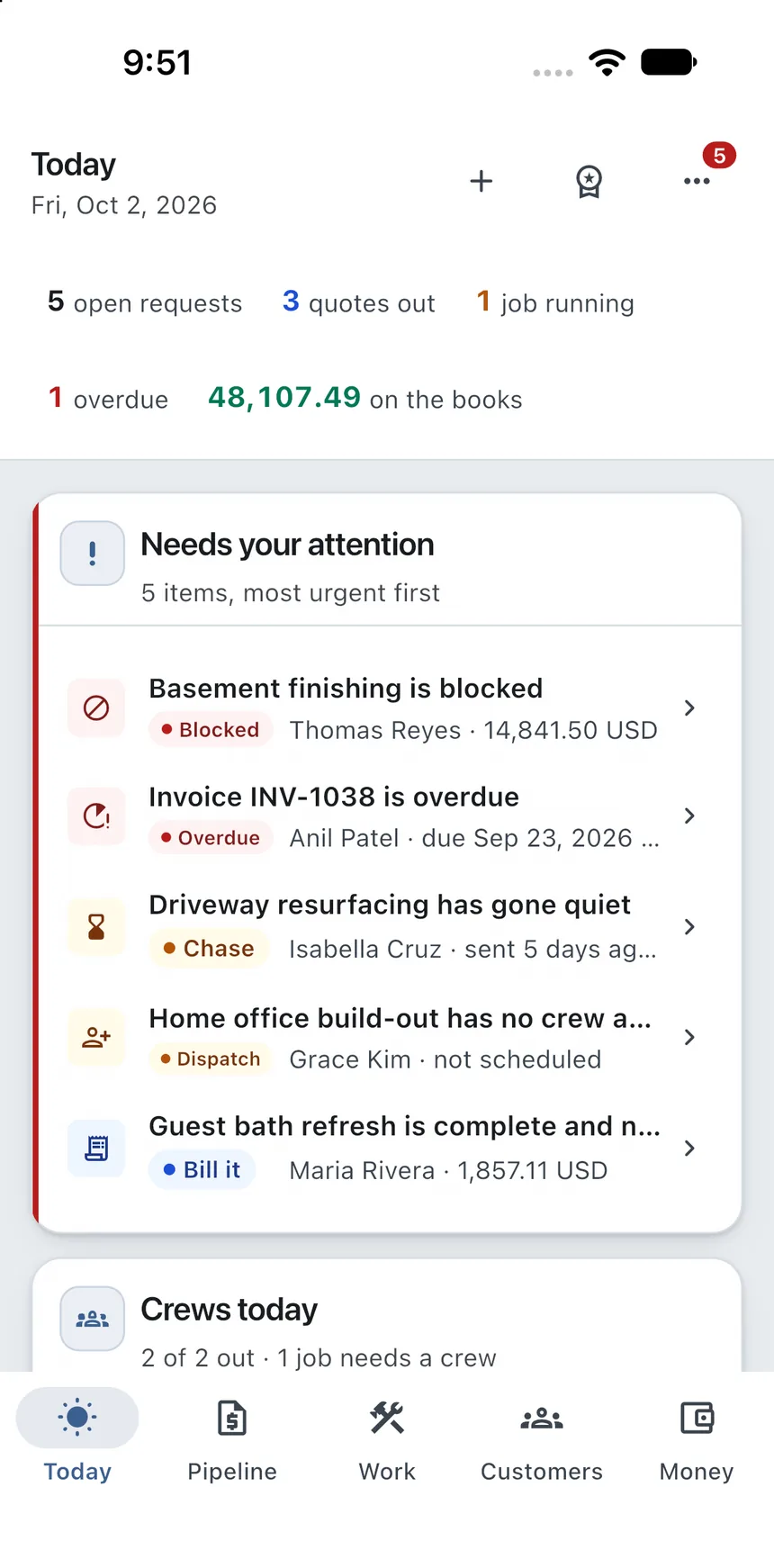
Product screenshots shown with illustrative data.
01 · Customers & pipeline
Know the opportunity—not just the customer’s name.
Keep the request, quote state, value, site visit, and activity together. The next follow-up is visible before work goes cold.
- Customer context beside every opportunity
- Time-in-stage and waiting signals
- One path from request to accepted work

02 · Estimates & approvals
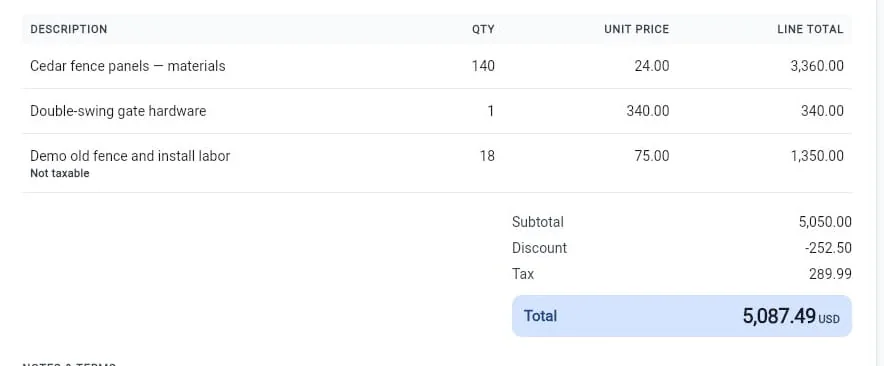
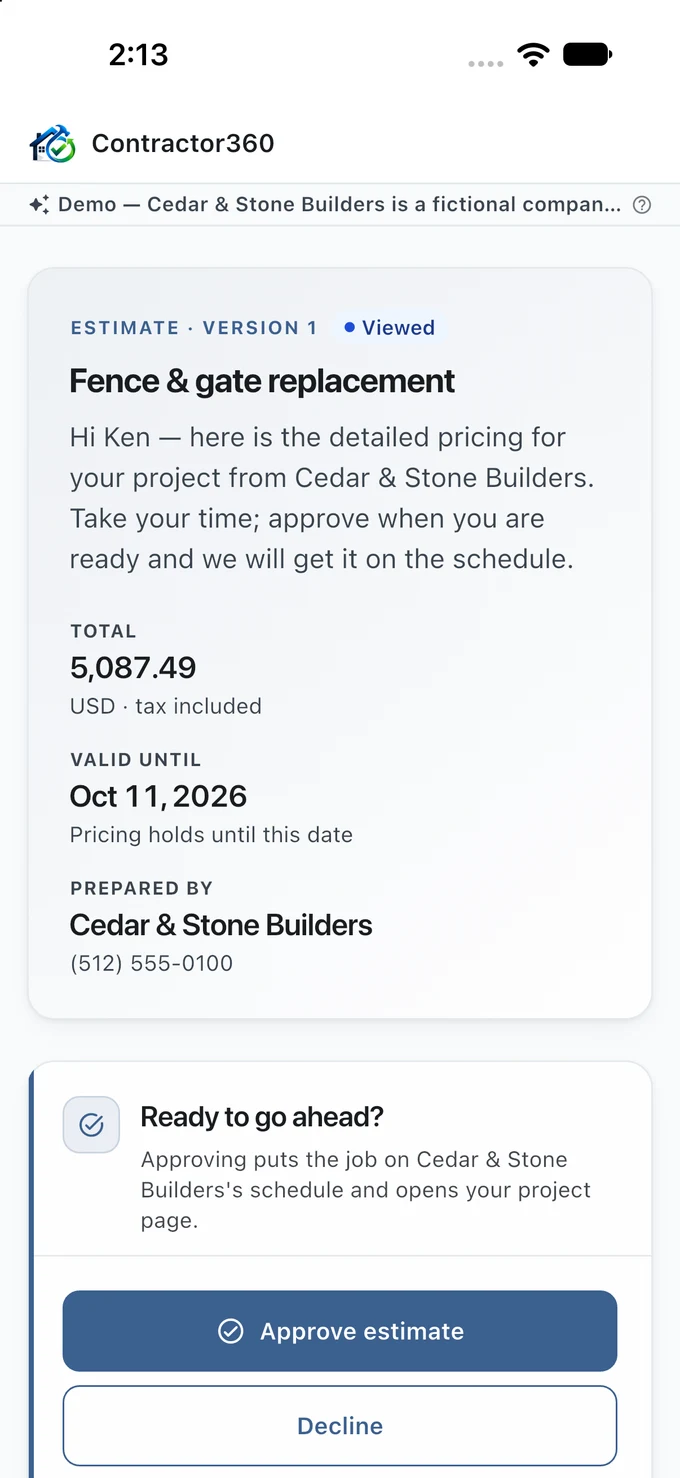
One figure. Clearly built. Clearly approved.
Build the scope line by line, give the customer a focused approval experience, and keep the response on the record.
03 · Jobs & scheduling
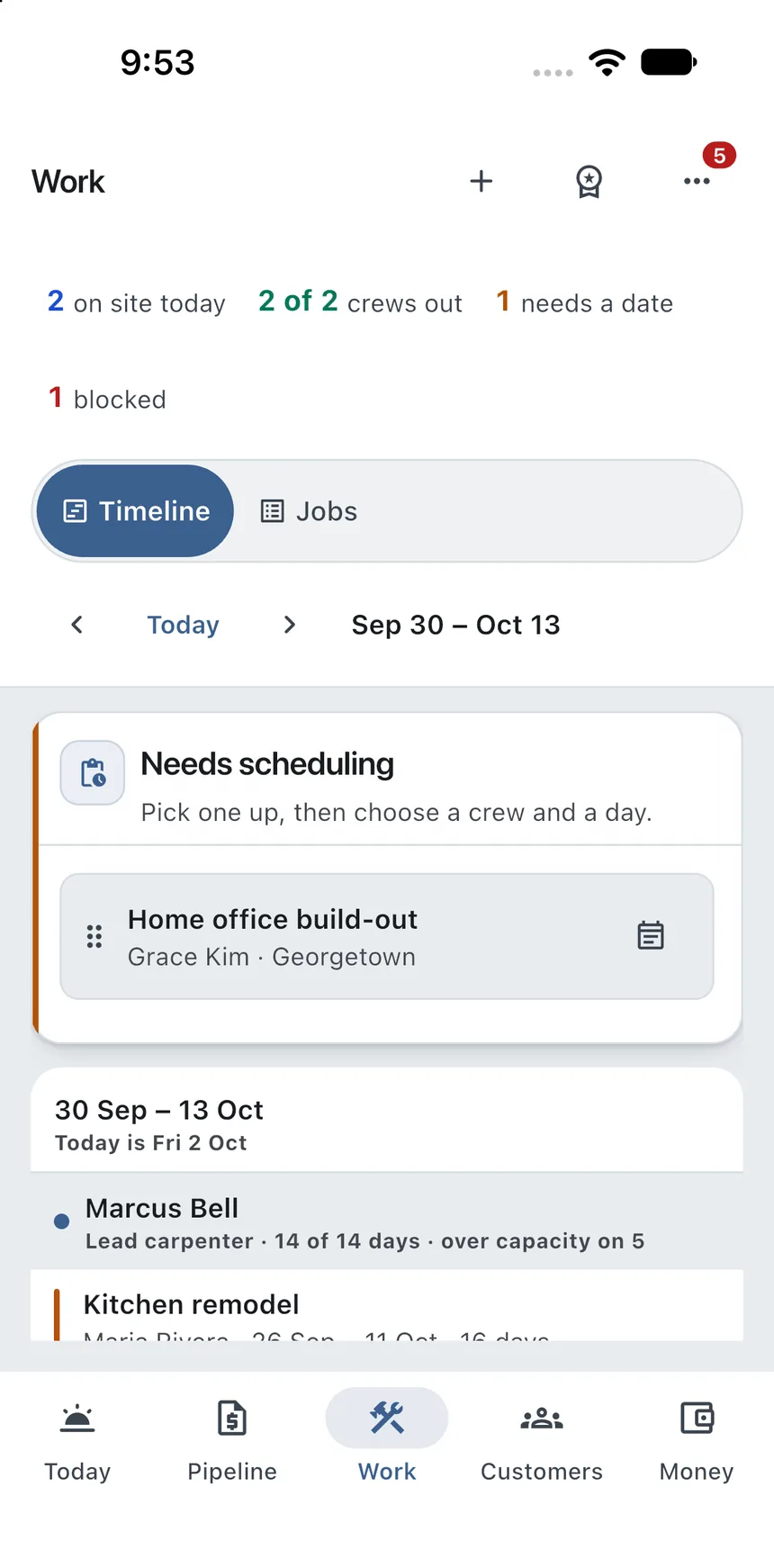
A readable plan for every crew.
See assigned work, capacity, job status, and what still needs a date—without turning the calendar into a wall of tiny appointments.
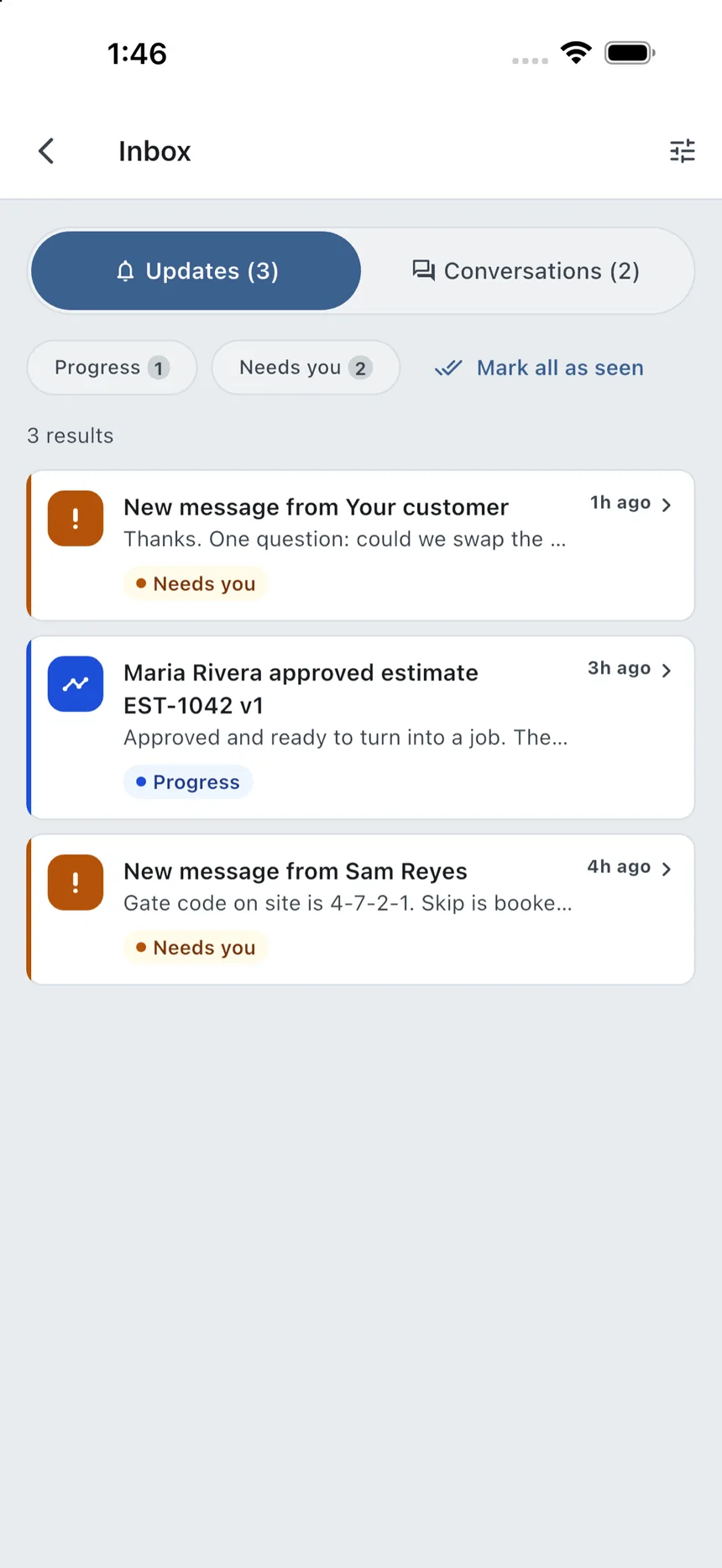
04 · Messaging & field operations
The office and field stay on the same job.
Give each person the schedule, job context, updates, and conversations that matter to their role. Field work stays connected without squeezing a desktop dashboard onto a phone.
05 · Invoices & payments
Know what is owed—and what actually settled.
Invoice from agreed work, distinguish pending activity from confirmed money, and keep the remaining balance trustworthy.

The connected workflow
Every step hands the truth forward.
No detached spreadsheets. No re-keying the approved figure. No guessing whether a payment is merely reported or actually confirmed.
- 01Lead→
- 02Estimate→
- 03Approval→
- 04Job→
- 05Schedule→
- 06Invoice→
- 07Payment
Start with the next job
Give the work one dependable home.
Bring in one customer, build one estimate, and see the complete Contractor360 workflow for yourself.